# Set up an account
In order to perform an integration in any of our services, you must have a Truora account.
## Creating a Truora account
- You can create an account for free at https://account.truora.com/#/create-account
- Or log into your existing account at https://account.truora.com/#/auth/login
## Generating Truora API Key
Once you are logged in:
1. Open the account dashboard: https://account.truora.com/
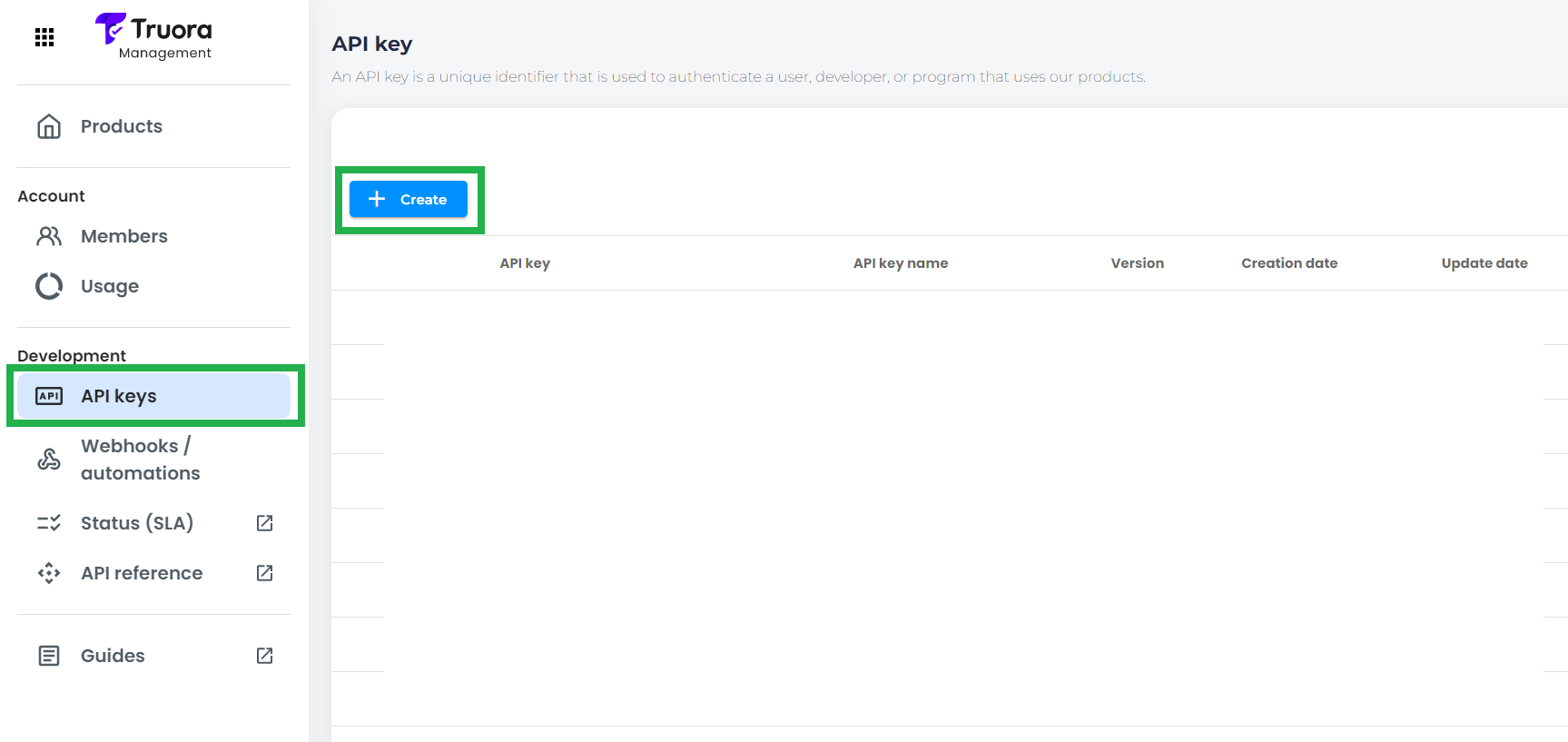
2. Select **API Keys** on the left sidebar
3. Click the **Create** button
{{ }}
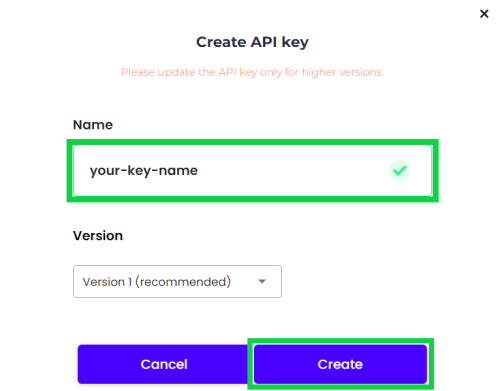
4. Write the name of your **API key**, click **Create** and then copy the generated JWT token to a safe place, as it will only be displayed once
{{
}}
4. Write the name of your **API key**, click **Create** and then copy the generated JWT token to a safe place, as it will only be displayed once
{{ }}
The **Truora API Key** just generated will be used for authentication, which will allow you to perform API calls and access Truora´s Services.
}}
The **Truora API Key** just generated will be used for authentication, which will allow you to perform API calls and access Truora´s Services.