# Modify an existing Flow
To modify a flow in the digital identity uses the flowbuilder and add more validations or remove existing validations, you would need to follow these steps:
1. Access to our product [dashboard](/guides/dashboard/), click the **Open** button in the **Digital Identity Verification** product.
2. Select **My Flows**.
3. Locate the specific **Flow** that you want to modify.
4. Select the **Flow**
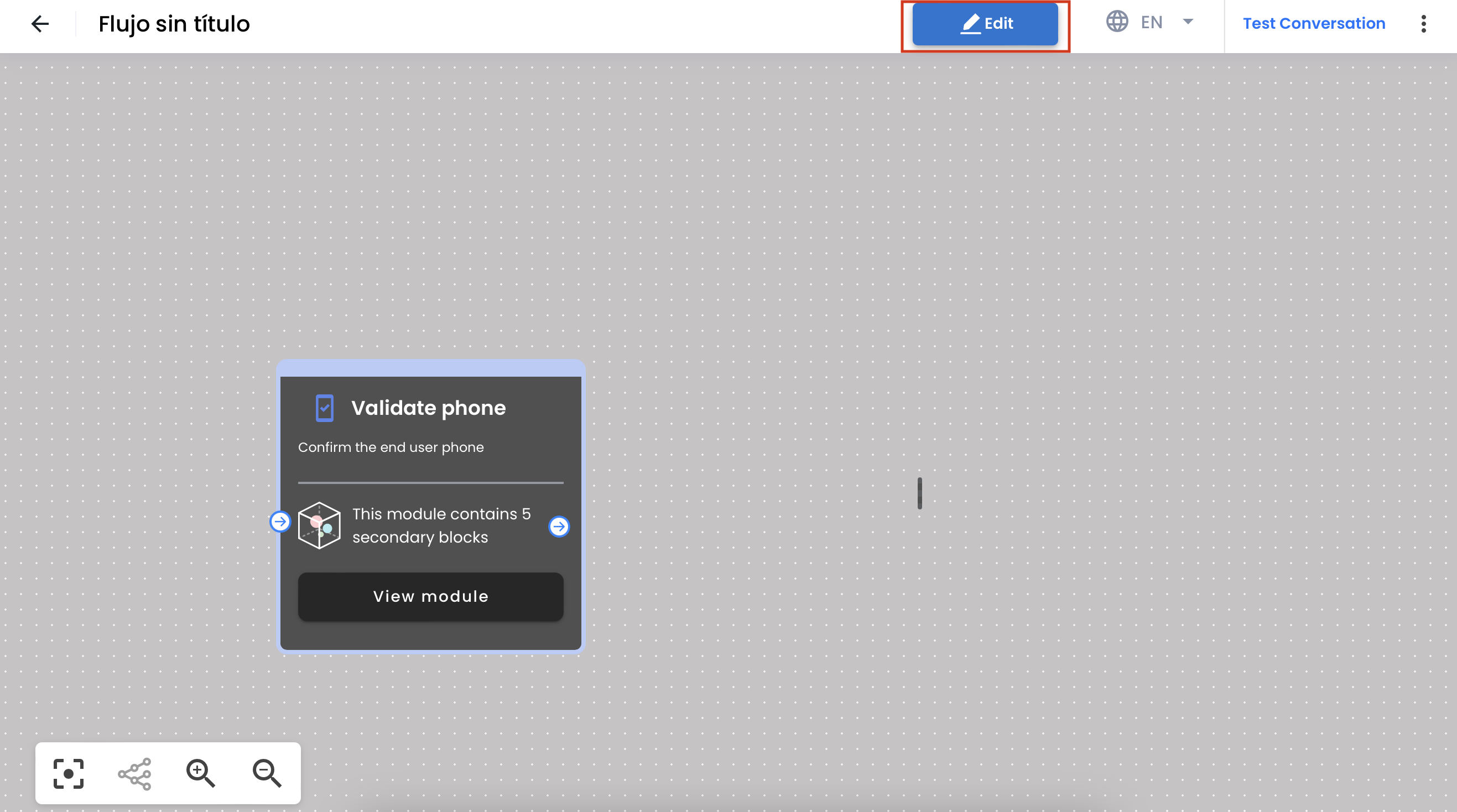
5. Clic on the **edit** button.
{{ }}
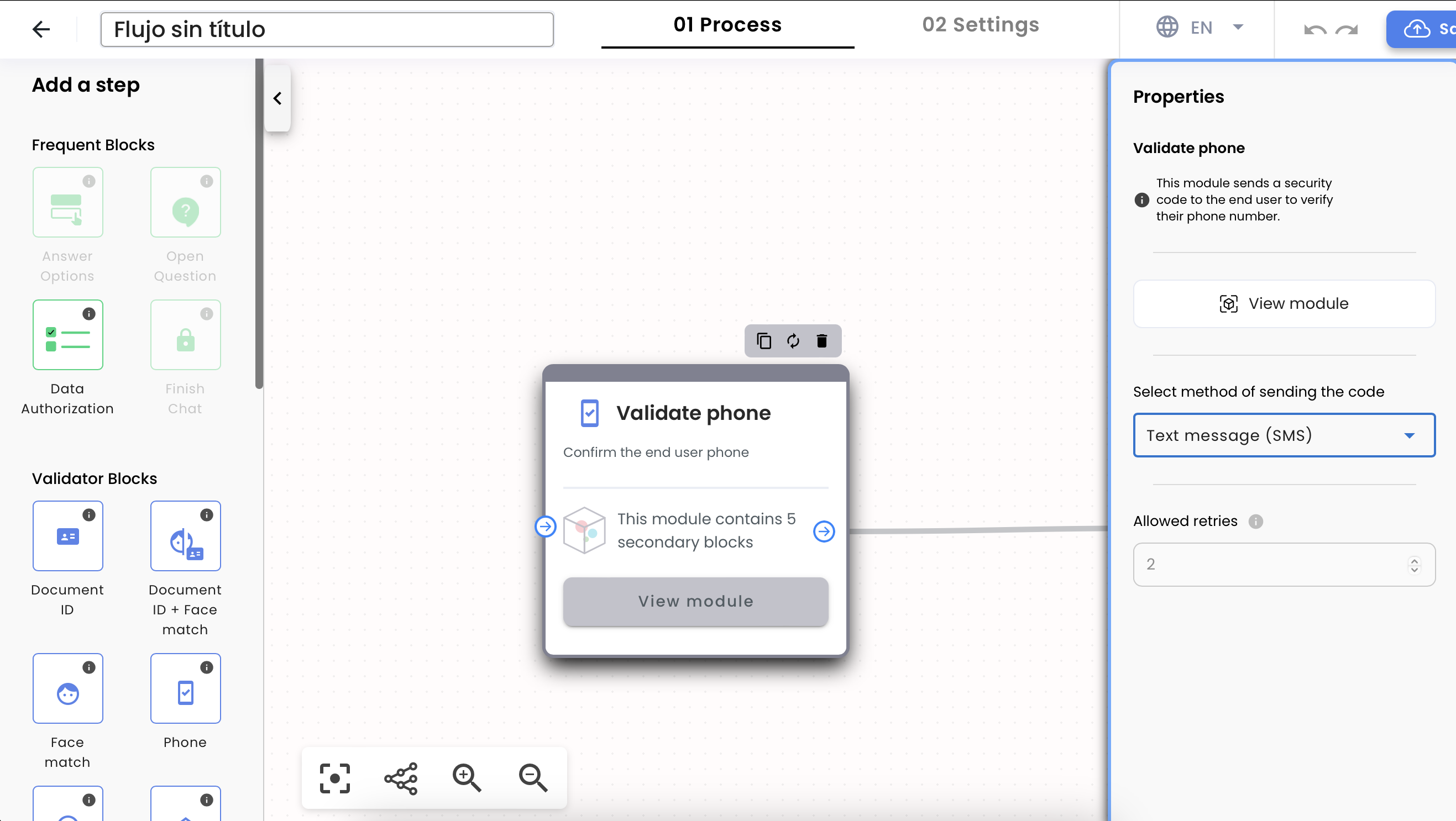
6. In the flow editor, you can navigate through the different **steps** and **validations** of the flow.
7. To add more validations, you can either create a new step in the flow editor or modify an existing step.
8. In the step, you can add the desired validation rules and configure them according to your requirements, there will be in the right side of the view, labeled as **Properties**
{{
}}
6. In the flow editor, you can navigate through the different **steps** and **validations** of the flow.
7. To add more validations, you can either create a new step in the flow editor or modify an existing step.
8. In the step, you can add the desired validation rules and configure them according to your requirements, there will be in the right side of the view, labeled as **Properties**
{{ }}
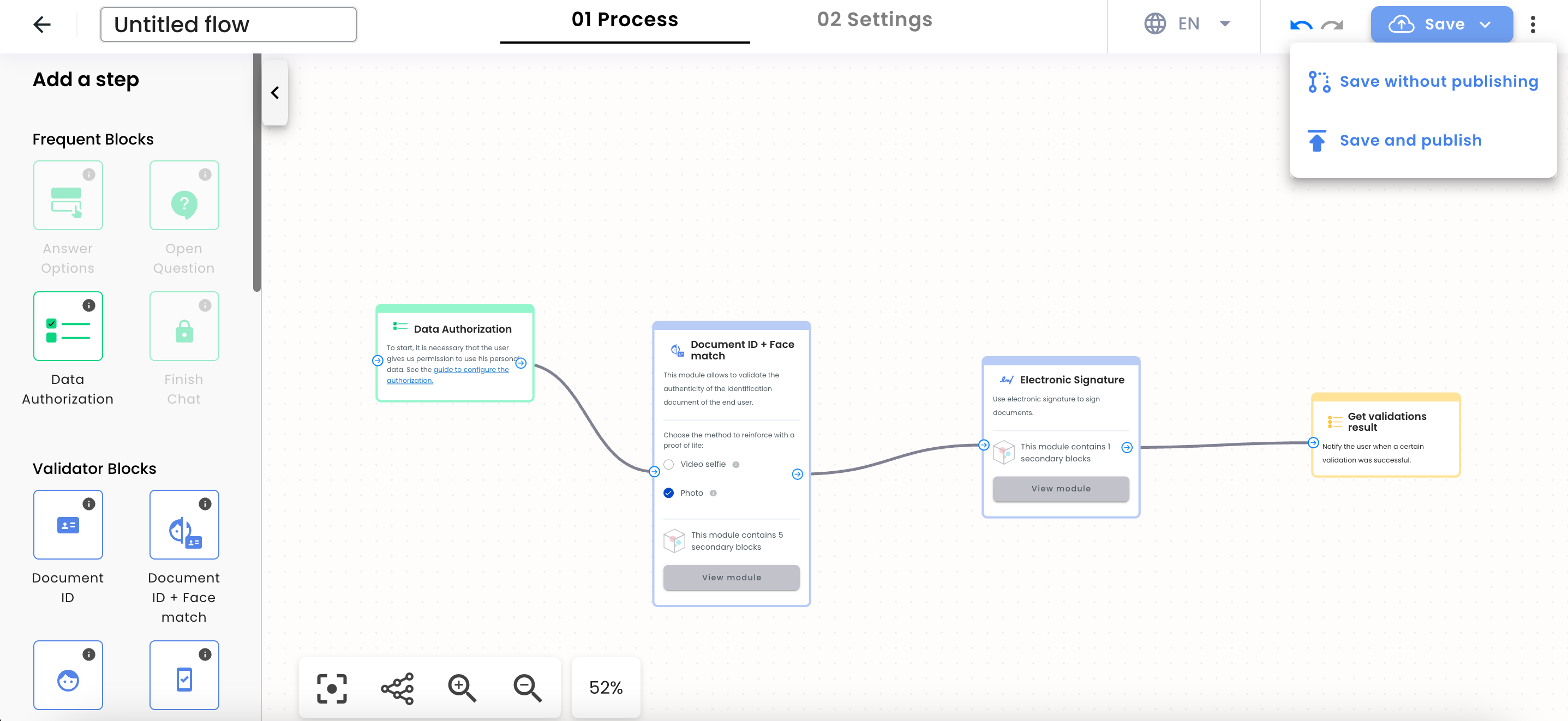
9. To remove validations, locate the step with the validation you want to remove and delete it from the flow editor.
10. Once you have made the necessary modifications, save the changes to the flow.
{{
}}
9. To remove validations, locate the step with the validation you want to remove and delete it from the flow editor.
10. Once you have made the necessary modifications, save the changes to the flow.
{{ }}
11. The flowbuilder tool will then update the flow in the digital identity system with the new validations or removed validation
}}
11. The flowbuilder tool will then update the flow in the digital identity system with the new validations or removed validation