# How to Integrate a Form into a Validation Flow
This guide explains how to integrate a form into a validation flow to collect user data. For detailed instructions on creating forms, refer to the [Create forms guide.](/guides/forms/)
## Flow builder
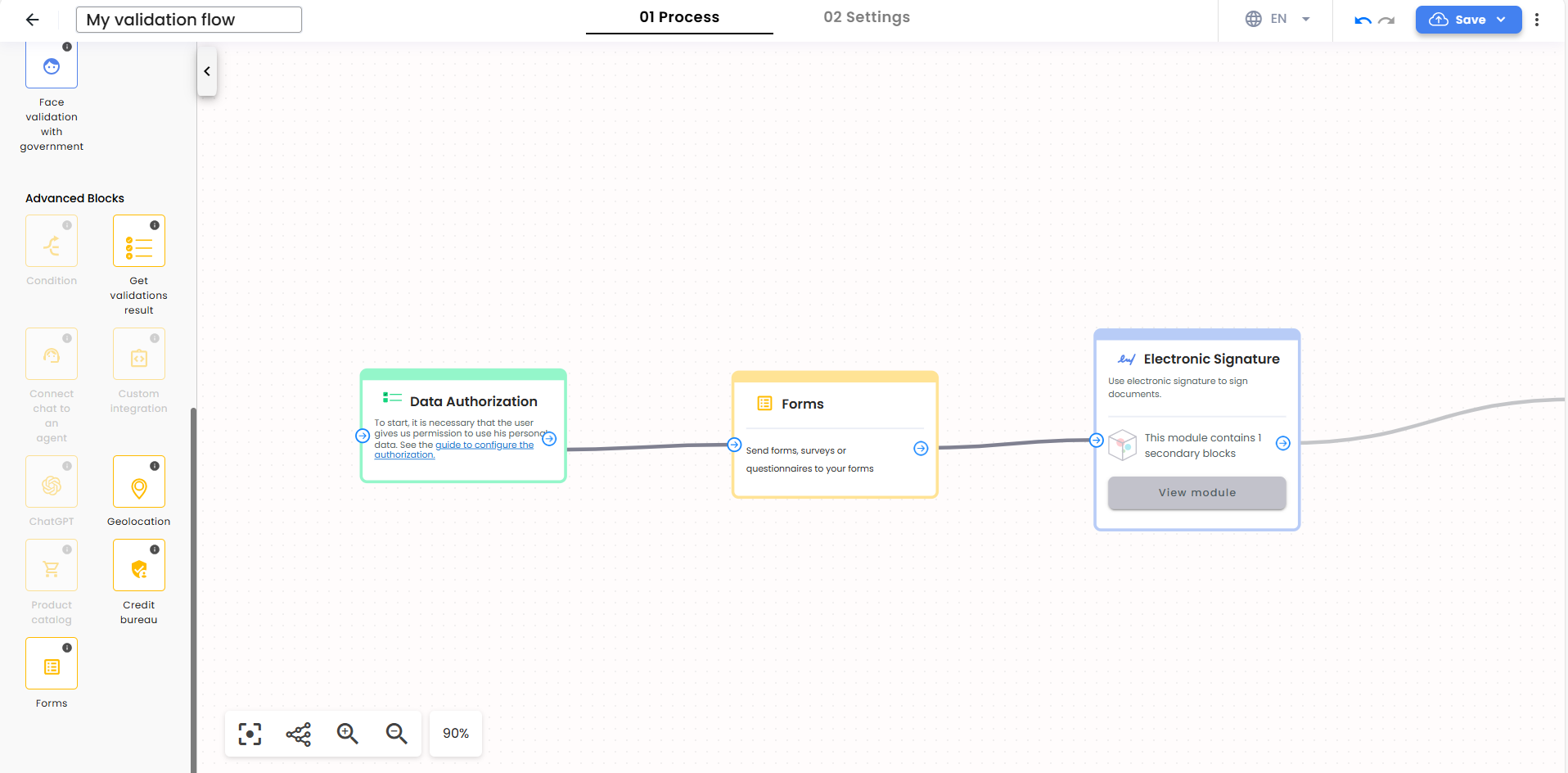
To add a form to your validation flow, locate the **Forms** block in the sidebar under the Advanced Blocks section and drag and drop this block into your flow.
{{ }}
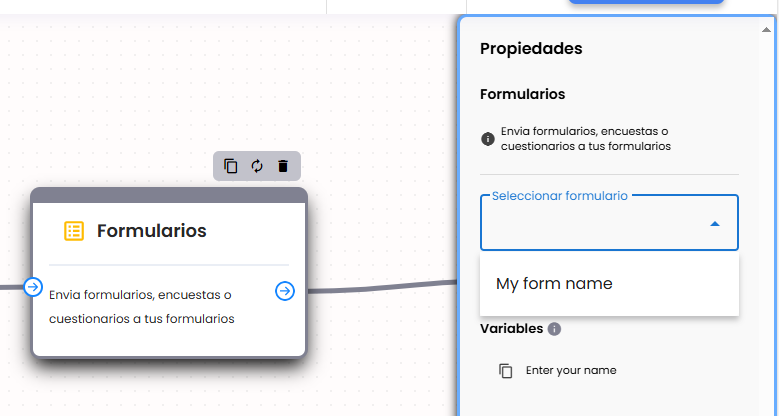
After selecting the Forms block, the sidebar will show a dropdown with a list of your existing forms. Select a form that will be displayed during the flow execution.
{{
}}
After selecting the Forms block, the sidebar will show a dropdown with a list of your existing forms. Select a form that will be displayed during the flow execution.
{{ }}
## Form variables
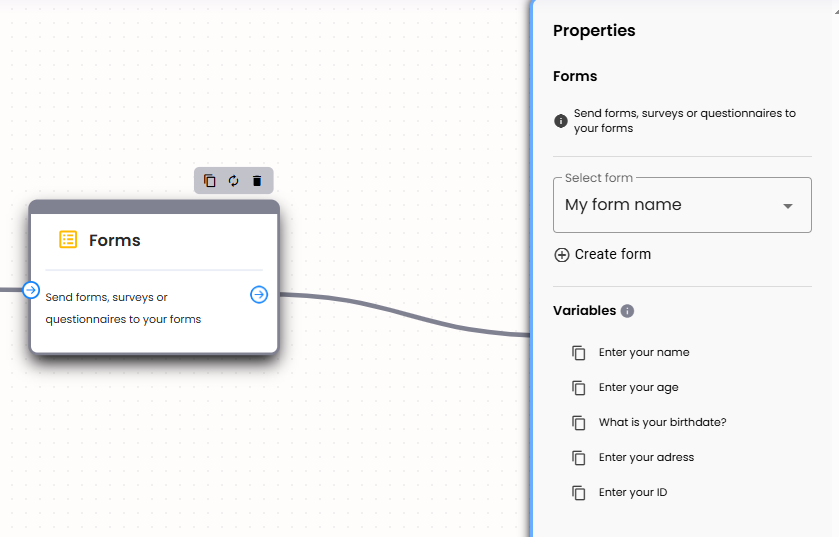
Below the form selector, you will see a list of variables representing the questions from the form. These variables can be copied and used in other blocks, such as the electronic signature block.
{{
}}
## Form variables
Below the form selector, you will see a list of variables representing the questions from the form. These variables can be copied and used in other blocks, such as the electronic signature block.
{{ }}
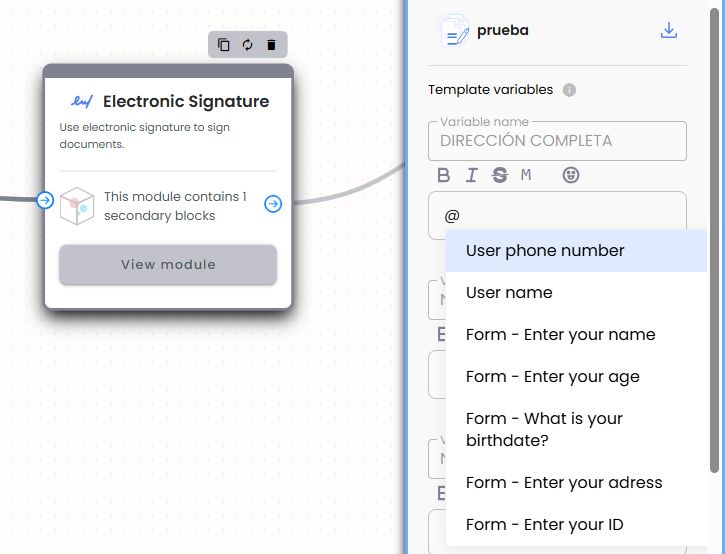
Additionally, the variable selector will display the form questions, allowing you to reference them in subsequent blocks within the flow.
{{
}}
Additionally, the variable selector will display the form questions, allowing you to reference them in subsequent blocks within the flow.
{{ }}
## Process with form excecution
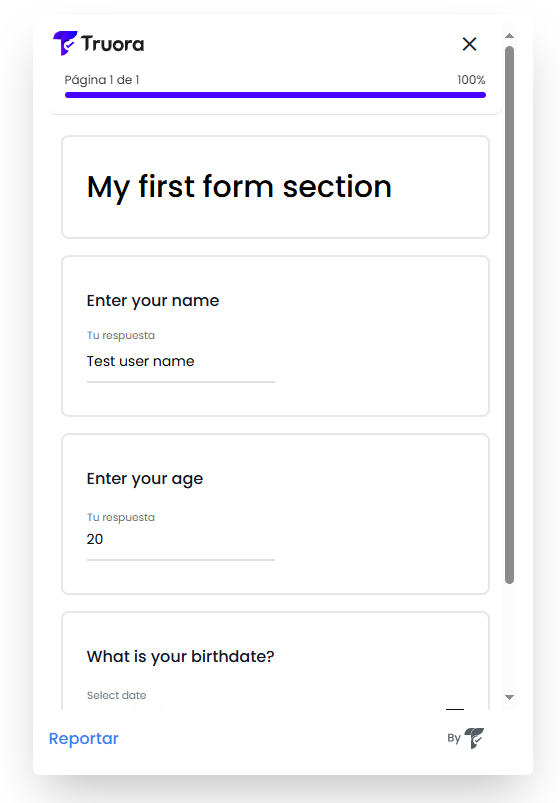
When a user executes the flow, the form will be displayed for the end user to fill it out. If the form has multiple sections, each section will appear on a separate page for easier navigation.
{{
}}
## Process with form excecution
When a user executes the flow, the form will be displayed for the end user to fill it out. If the form has multiple sections, each section will appear on a separate page for easier navigation.
{{ }}
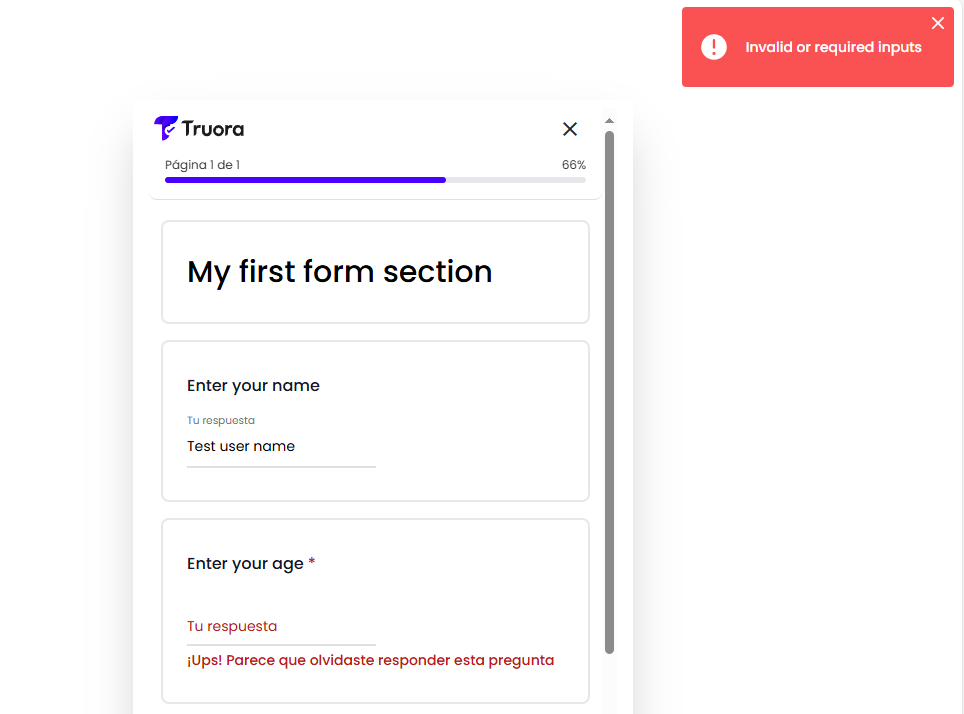
Each input includes validation to prevent incorrect data entry. If the input is invalid, a message will be displayed, and the user will not be able to proceed to the next section or complete the form.
{{
}}
Each input includes validation to prevent incorrect data entry. If the input is invalid, a message will be displayed, and the user will not be able to proceed to the next section or complete the form.
{{ }}
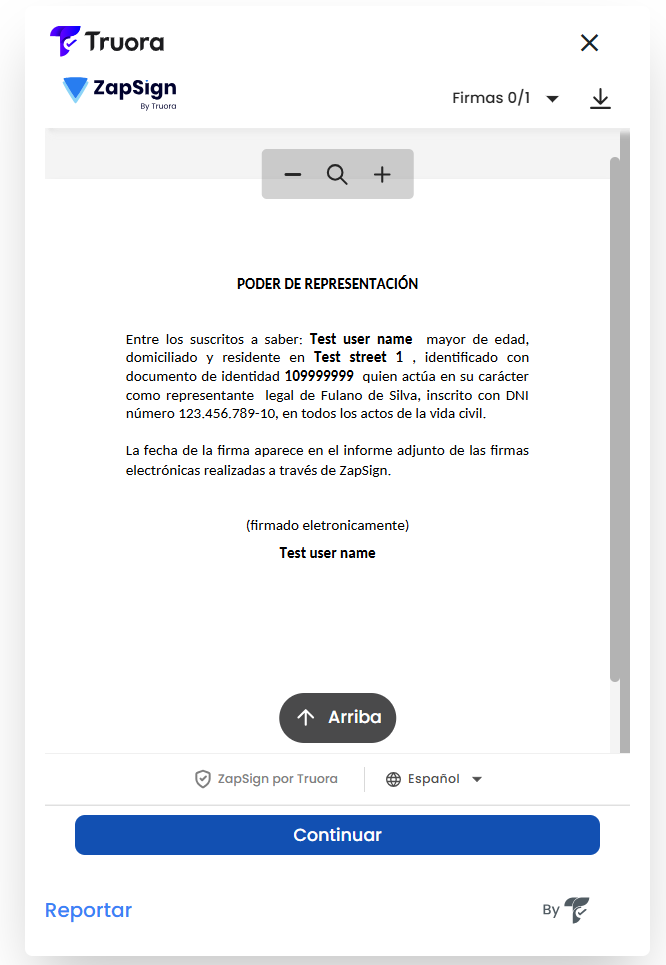
Once the form is completed, the process will move to the next step, and the variables will be processed based on the configuration of the subsequent block.
{{
}}
Once the form is completed, the process will move to the next step, and the variables will be processed based on the configuration of the subsequent block.
{{ }}
}}