


How to Review Background Check Results
Once a background check is created and completed, you can access its results and other useful features in the Query history option.
Query history shows a summary of all your queries. For each query you can:
- See the query data and its status.
- Open the query details with View.
- Download a PDF with the details.
- See the Score, a rating from 0 to 10 based on the query result.
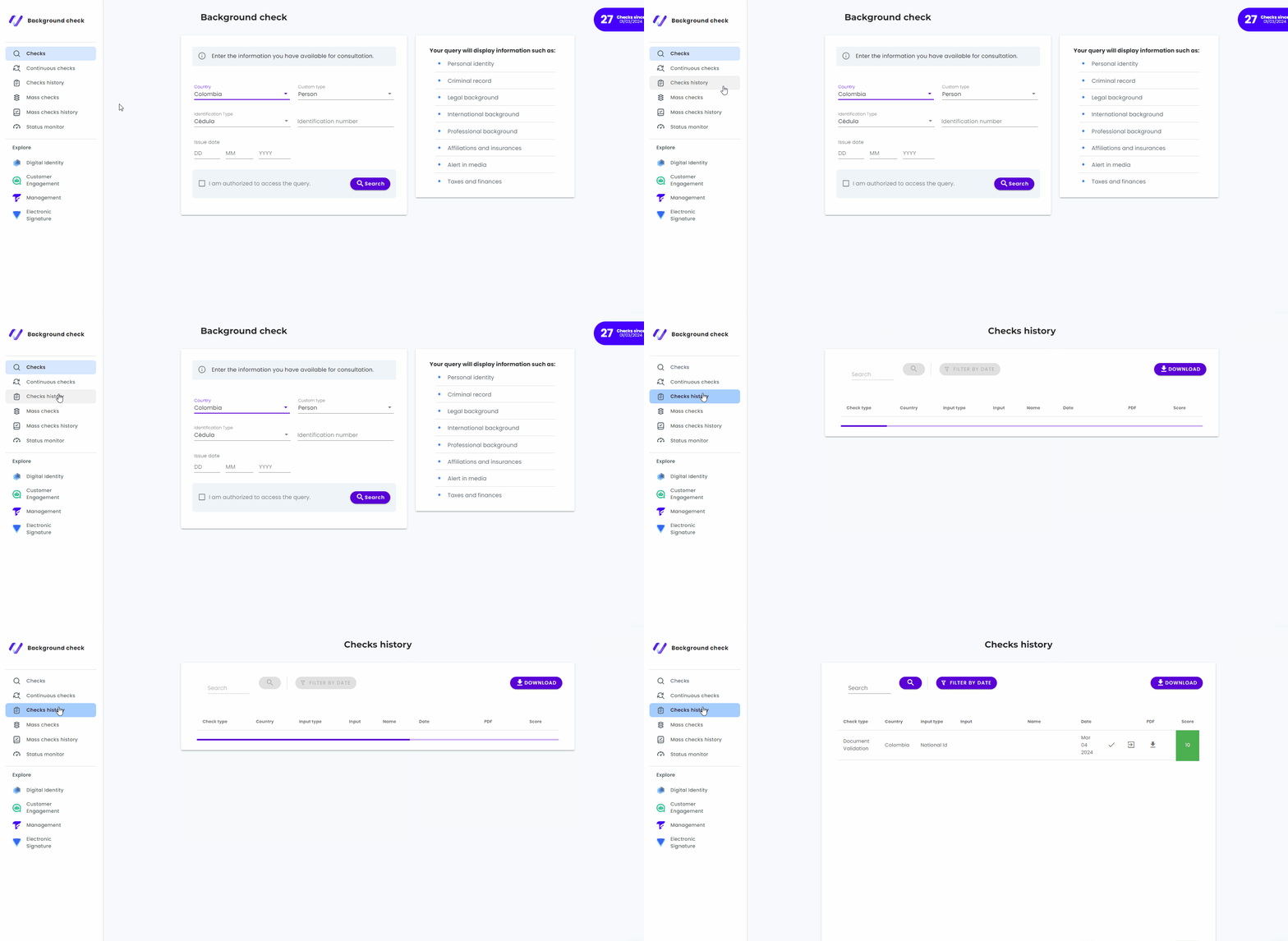
Search and download results
- Search: Use the search bar in the upper right corner to find a specific process by the document entered (input) or by name.
- Filter: Narrow down the results by time period (Date from and Date to), country, and query type.
- Download: Use the Download button in the upper right corner to download a set of results filtered by date, country, and query type.
View the details of a query
To see the details of a query, click the result you want. At the top you will see a panel with the general information of the process:
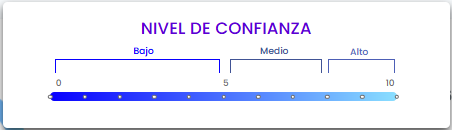
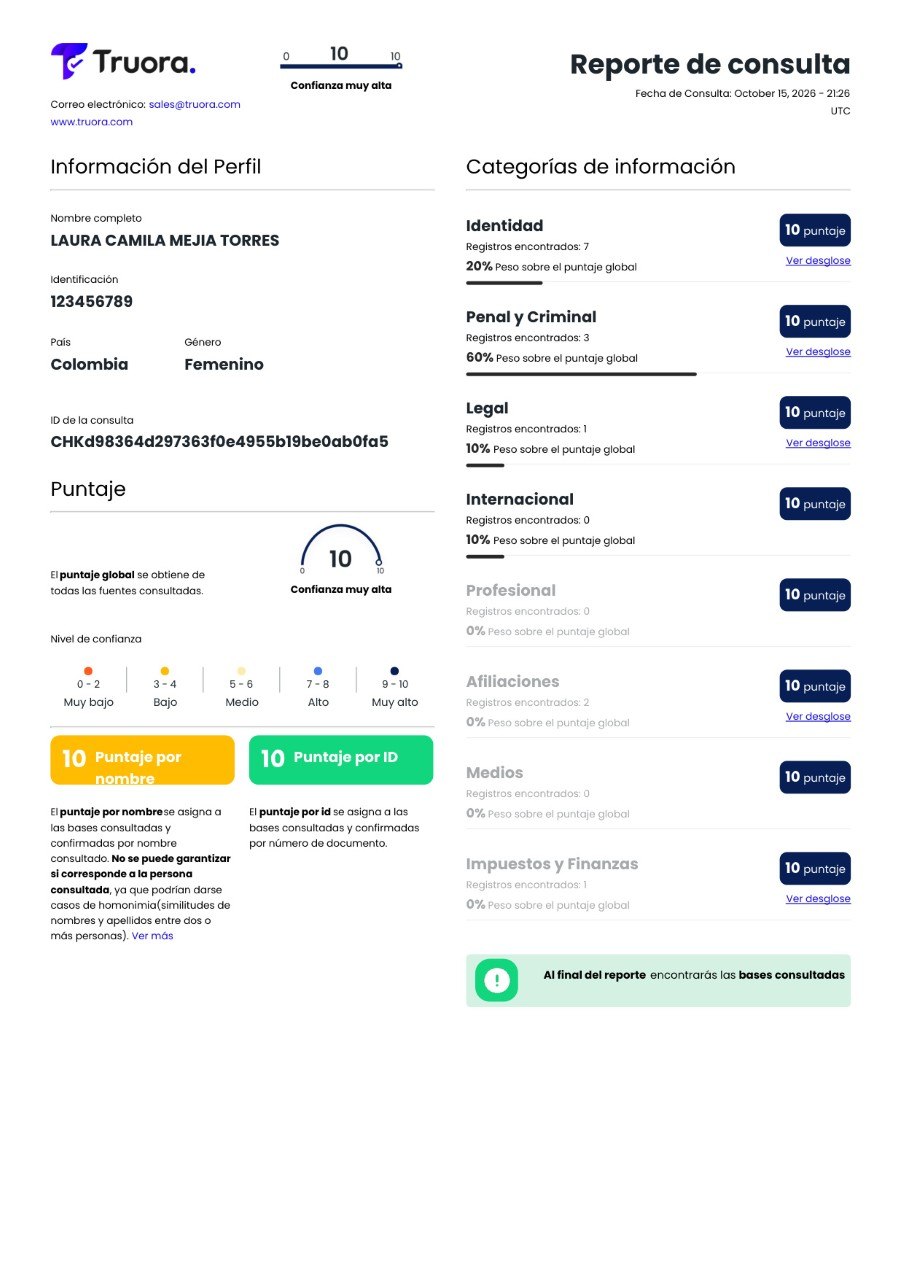
- Score: A value from 0 to 10 that measures the confidence level of the background check. The values and weights used to calculate it are shown in the Configuration option, and you can customize them. See Background Checks Configuration Module.
- Query data: Document, country, and query type.
- ID: Unique identifier of the validation process. Each query gets its own ID, even when the same document is queried several times.
- Created and Updated dates of the process.
- Download PDF: Download the result as a PDF.
- Make another query: Go back to the Queries menu.
Result tabs
Below the main panel there are three tabs:
- General: The data entered and the general information for the query type.
- Details: All the datasets included in the query, each with its own score. Click a dataset to see the databases consulted and their results.
- Progress: The current state of the query. It shows the query Name and its Status.
Query statuses
The Status in the Progress tab can be one of the following:
| Status | Description |
|---|---|
| Not started | The query is in the queue. |
| In progress | The query is running. |
| Delayed | The wait time is longer than usual. |
| Expired | The maximum time passed without a response. |
| Error | A problem occurred in the query. |
| Completed | The query finished successfully. |
| Skipped | The query was skipped because of the characteristics of the validation type. |