


How to Monitor Database Status and View Background Check Metrics
This guide explains how to use the Status Monitor and Metrics options in the Background Checks dashboard.
Database status monitor
In the Background Checks sidebar, select the Status Monitor option.
Here you can see the status of the databases we query to perform background checks. These databases are external to Truora. Some are private and others are public. Their technical status can affect the validation processes, causing errors or additional wait times.
You can filter your search by Datasets, Country, and time period.
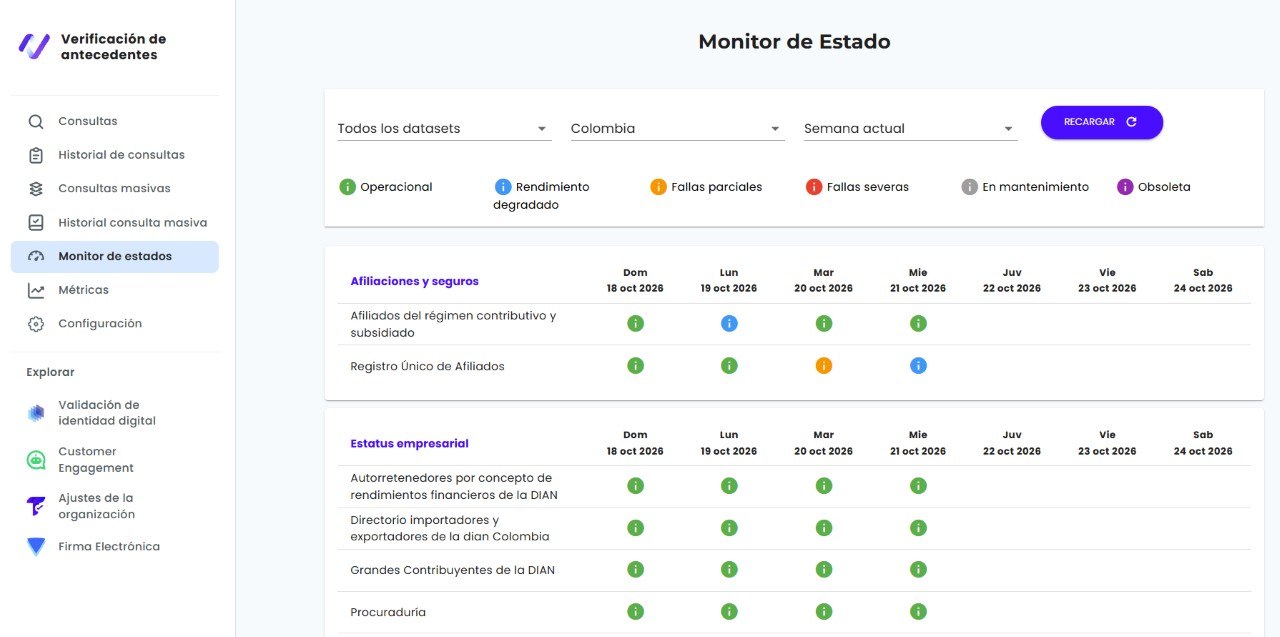
Each database is listed in detail, with its status broken down by day. The possible statuses are:
| Status | Description |
|---|---|
| Operational | Working without interruptions. |
| Degraded performance | Working with delays or issues. High traffic on the database can cause it. |
| Partial outage | It may be partially out of service. This may affect some queries. |
| Major outage | It has serious issues and may be out of service. This may affect most queries. |
| In maintenance | It is temporarily out of service for maintenance. |
| Deprecated | It has been permanently disabled. |
Metrics
In the Background Checks sidebar, select the Metrics option.
Here you can see the general metrics of your background check processes. Use the filters at the top to narrow the metrics by time period (From and To) and by Query type.
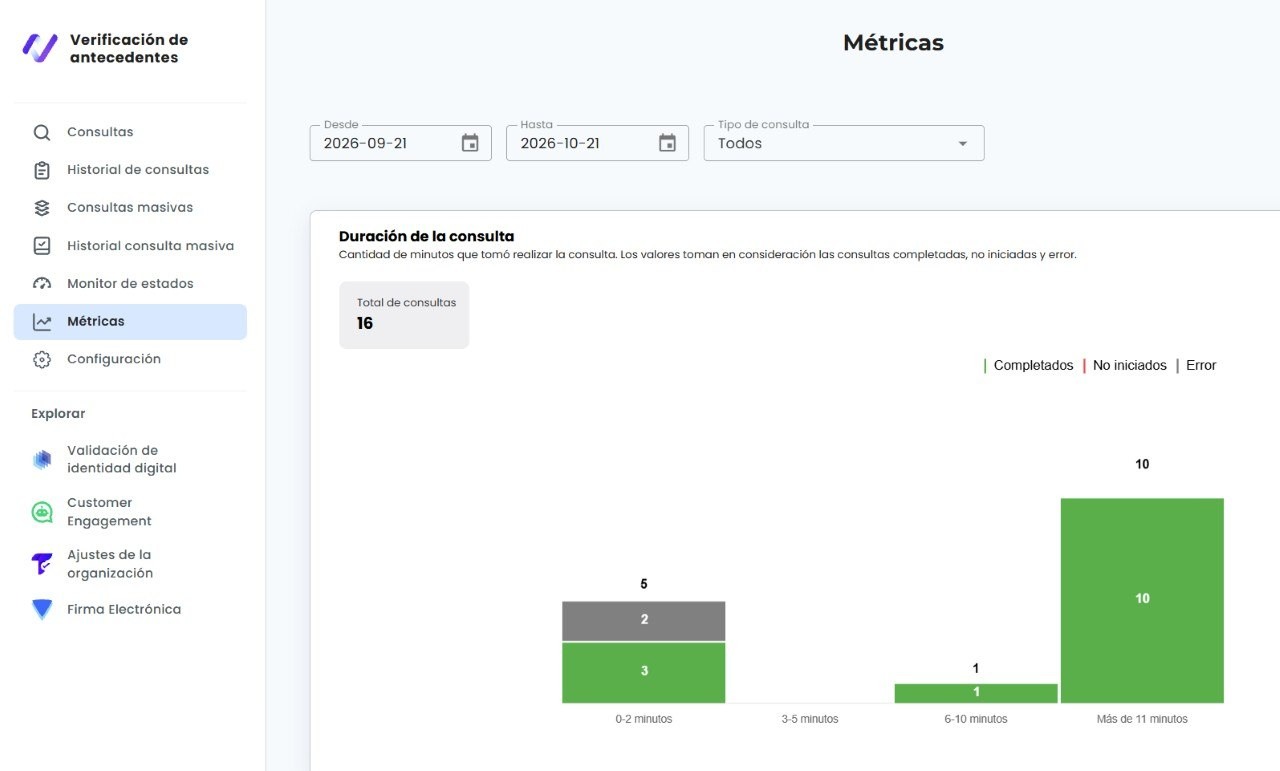
Some of the results you can see are:
- Query duration: The number of minutes each query took. The values include completed, not started, and error queries.
- Score distribution: The percentage of queries in each Score range.
- Query type distribution: A breakdown of queries by the selected validation type.