


Phone Number Migration Process
Truora will assist you throughout the migration process. Please contact your sales representative or our support line.
WABA line migration is the process of transferring a phone number from one Business Solution Provider to another or from a business to a Business Solution Provider.
Prerequisites
If you are the WABA owner, you can confirm these requirements through: Meta Business Manager under WhatsApp Accounts > (the name of the WABA) > Settings. If you are not the WABA owner, you must ask your current Business Solution Provider to confirm this for you.
- Please confirm that you meet the following requirements:
- Your Meta business account must be verified.
- The existing WABA must be approved.
- The existing WABA must have a valid payment method associated (in Payment Settings).
- The business phone number must have two-step verification disabled (Please see Step 1 in the Migration Process).
Step 1: Disable Two-Step Verification
Two-step verification must be disabled on the WABA Line before migration. This can be done via the Meta Business Manager.
- Access your WhatsApp Business account.
- Disable two-step verification:
- Open WhatsApp Business on your phone.
- Go to Settings > Account > Two-step verification.
- Select Disable and confirm the disablement.
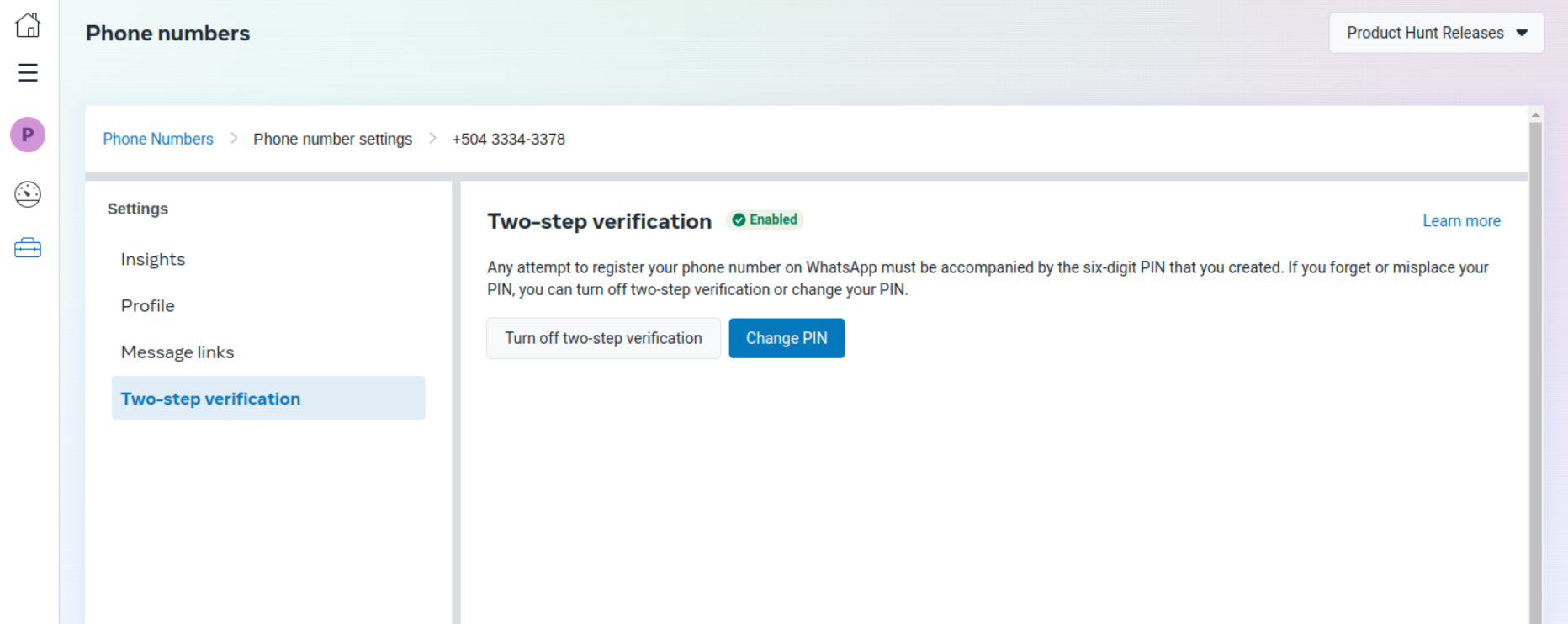
You cannot complete the remaining steps until two-step verification is disabled.
Step 2: Prepare for Migration
You will have to create a new WABA through the embedded signup process.
- Ensure you have the appropriate permissions:
- You need to have admin permissions on both the source and destination accounts.
- Back up your data:
- Make sure to back up all important data.
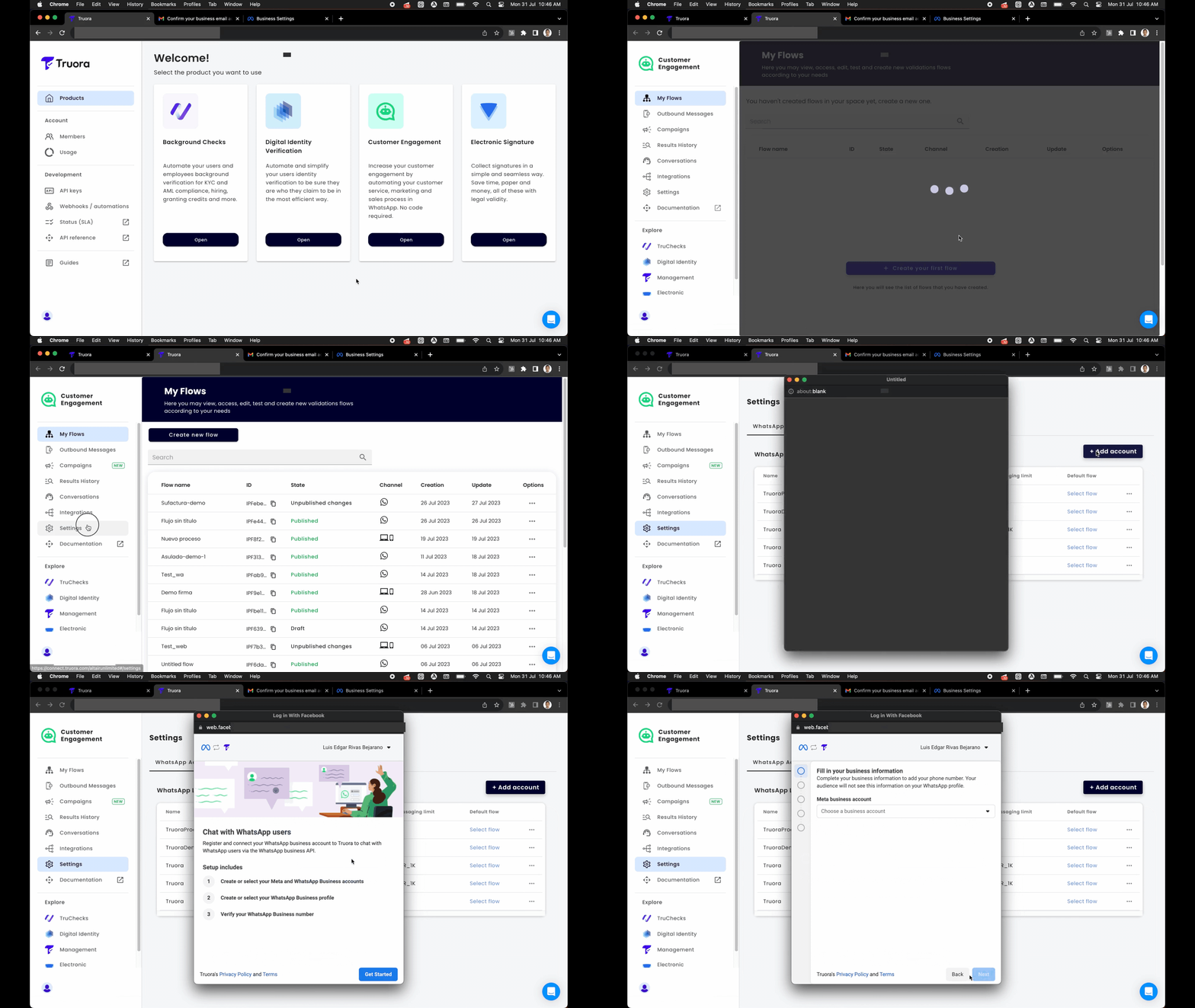
The new WABA must point to the same business as the original WABA.
Step 3: Initiate Number Migration
Submit a request to the Meta Cloud API Endpoint. (Truora’s Internal Process)
Step 4: Verify Phone Number Ownership
When the migration is requested, it needs to be confirmed. Submit a request to the Meta Cloud API Endpoint.
- Verify Number Ownership:
- Once the migration is initiated, you will receive a verification code on your phone number.
- Enter this code to confirm ownership of the number.
You need to have a device with the number on hand to complete this process.
Step 5: Register the Phone Number
To use the WABA (WhatsApp Business Account) line, you must register the phone number. (Truora’s Internal Process)
What Information Will Be Migrated?
-
The following is migrated:
- Display name
- Quality rating
- Messaging limits
- Official Business Account status
- Any high-quality message templates previously approved
-
Not migrated:
- Low-quality, rejected, or pending message templates
- Quality rating of the template